

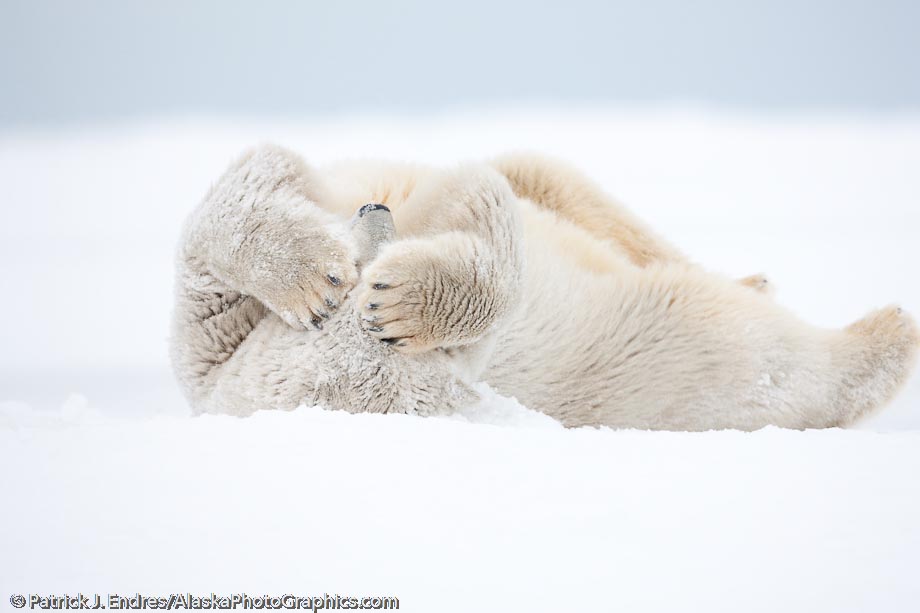
A few comments about photographing white subjects in white environments; in particular the issue of exposure and post production adjustments in Lightroom 2.5. Let me first state that I’ve always utilized an expose-to-the-right shooting style (you can explore that concept on luminous-landscape if you are unfamiliar with it). To summarize that briefly, it is a method of maximizing the signal to noise ratio in a digital file. The result is an out-of-the-camera RAW file that tends to look washed out and overly bright, so it will need a little adjustment in post production software to look good. Shooting this way has the advantage of maintaining more detail in shadowy subjects, not necessary reflected in this particular frame. Exposing to the right may slightly reduce your shutter speed/aperture, and a judgment call is needed based on your accepted exposure setting minimums. Sometimes, if you are already at your high ISO maximum, a file slightly underexposed but shot at 1/500 sec., to stop motion is better than the proper exposure taken at 1/250 sec, which would have some motion blur. You would then boost the exposure in post production and sacrifice some potential grain for a sharpness. In this series of shots, some were a touch blurry from motion since i was only at 1/320 sec, I would have been better served by increasing the shutter speed slightly to 1/500 or 1/640 sec. Oh well, I squeaked by.
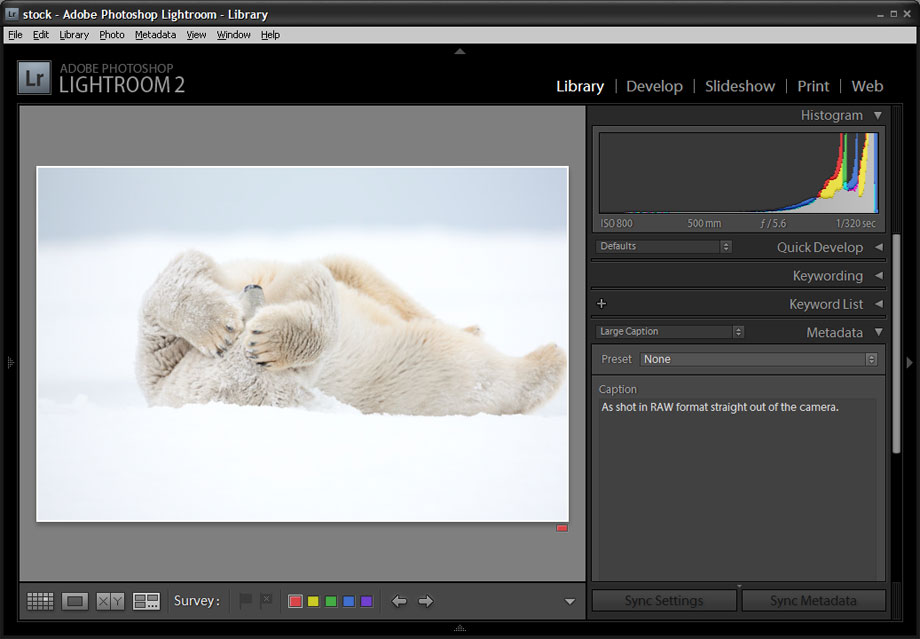
As shot in camera, note the histogram reflects the whites in the scene.
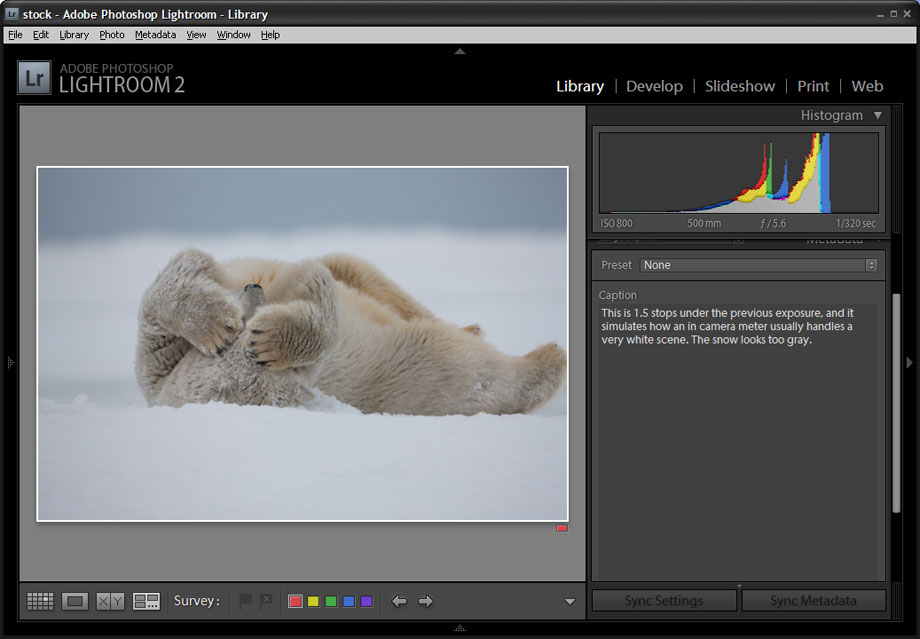
This is 1.5 stops under the previous exposure, and it simulates how an in camera meter usually handles a very white scene. The snow looks too gray.
Back to exposing white subjects. I prefer to shoot in manual mode for the utmost control, but use other modes when appropriate. It is actually fairly easy to properly expose a subject like a polar in the snow on an overcast, flat-light day. Take a shot and look at your histogram. Since snow is white, or very near white, you should expect to see data on the far right of the histogram, which represents your white levels. If it is more in the middle, then your snow will look gray, and you will want to tweak your exposure to compensate for this. Compare the histograms above to see the difference. Pure white is all the way to the right.
To compensate for the expose-to-the-right settings which I used to capture this image, I used Lightroom and selectively brought the brightness down a bit using the brush and gradient tools to give a little more detail in the snow. The result is subtle, but presents the scene a little more accurate to what the eye sees. Compare the before and after files below.
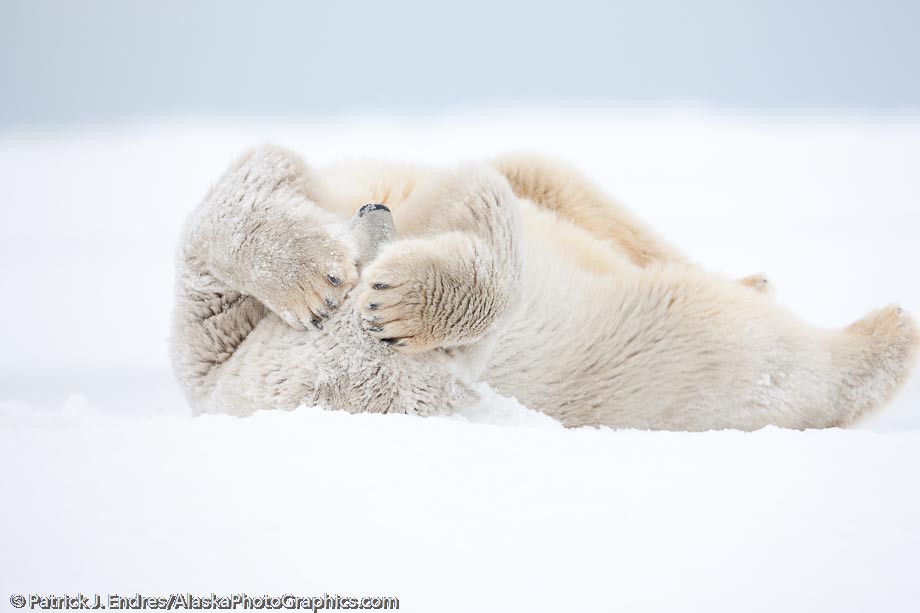
As shot in RAW format straight out of the camera.
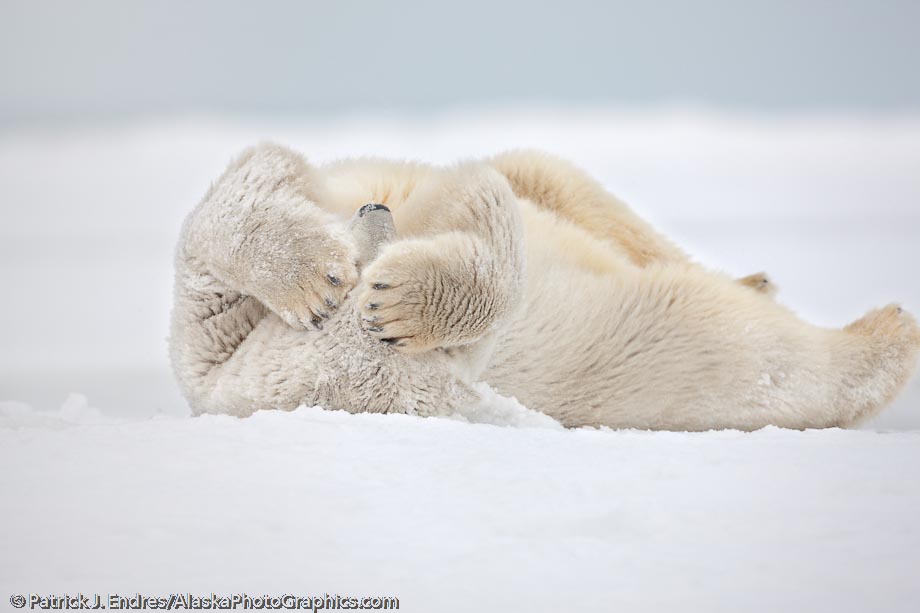
Polar bear cleans its fur by rolling in the snow. Barrier island off Alaska's arctic coast, Arctic National Wildlife Refuge. Canon 1Ds Mark III, 500mm f/4L IS, 1/320 sec @ f/5.6, ISO 800


Thanks for the informative article, Patrick! I have been enjoying the posts from your photo tour. I have a suggestion: I think the photo would benefit if you added blue to the sky, instead of that grey, so it looked like your arctic fox photos, for example. (Maybe it was cloudy, but I think it would help anyway). Just an idea. -Elias
Eli,
Your comment about the sky is an option I considered but in this case I chose to keep the colors more accurate to the scene, which was on the gray side. The blue would give a nice color contrast though, I agree with you on that. As for the beaver mitts, a friend made mine as a favor. If you seek to buy a pair, take your camera with you so you get a good feel for the possibility of operating the buttons with the gloves on. Mine have a very supple leather on the hand side of the mitt, and that seems to help. You might start by looking at Alaska Raw Fur, and if they don’t have something, they might refer you to someone who could make you a custom pair.
Patrick
Patrick, I just wanted to say “thanks” for the recommendation. I got a pair of mitts for AK raw fur (noticed a lot of your photos in their catalog- very nice!). They are so warm, easily worth the expense. Wearing the smaller gloves inside works marvelously. Thanks again!!!